Experience with Several System Migration Strategies
Lessons Learned from Several System Migration Approaches
Disclaimer:
This article was contributed by @
CDsidi, a big thank you to CDsidi for sharing this technical article for the official account!
Recently, my laptop’s hard drive ran out of space, so I decided to replace it with a new one. To maintain continuity in my workflow, I opted for a full disk data migration, transferring all data from the old drive to the new one. The process was fraught with difficulties, but I eventually succeeded.
This article documents the successful approach and several alternative strategies.
Environment for This Approach:
Software Environment
Target system: Windows 11 24H2
PE system: Lvlele’s modified version of MicroPE
Diskgenius 4.8.0
Hardware Environment
Lenovo Yoga 16s 2022
Old drive: Internal M.2 slot
New drive: USB-C 3.1 enclosure
Successful Approach: WIM Packaging and Deployment
The core idea is to leverage WIM packages and NTsetup to assist with system migration.
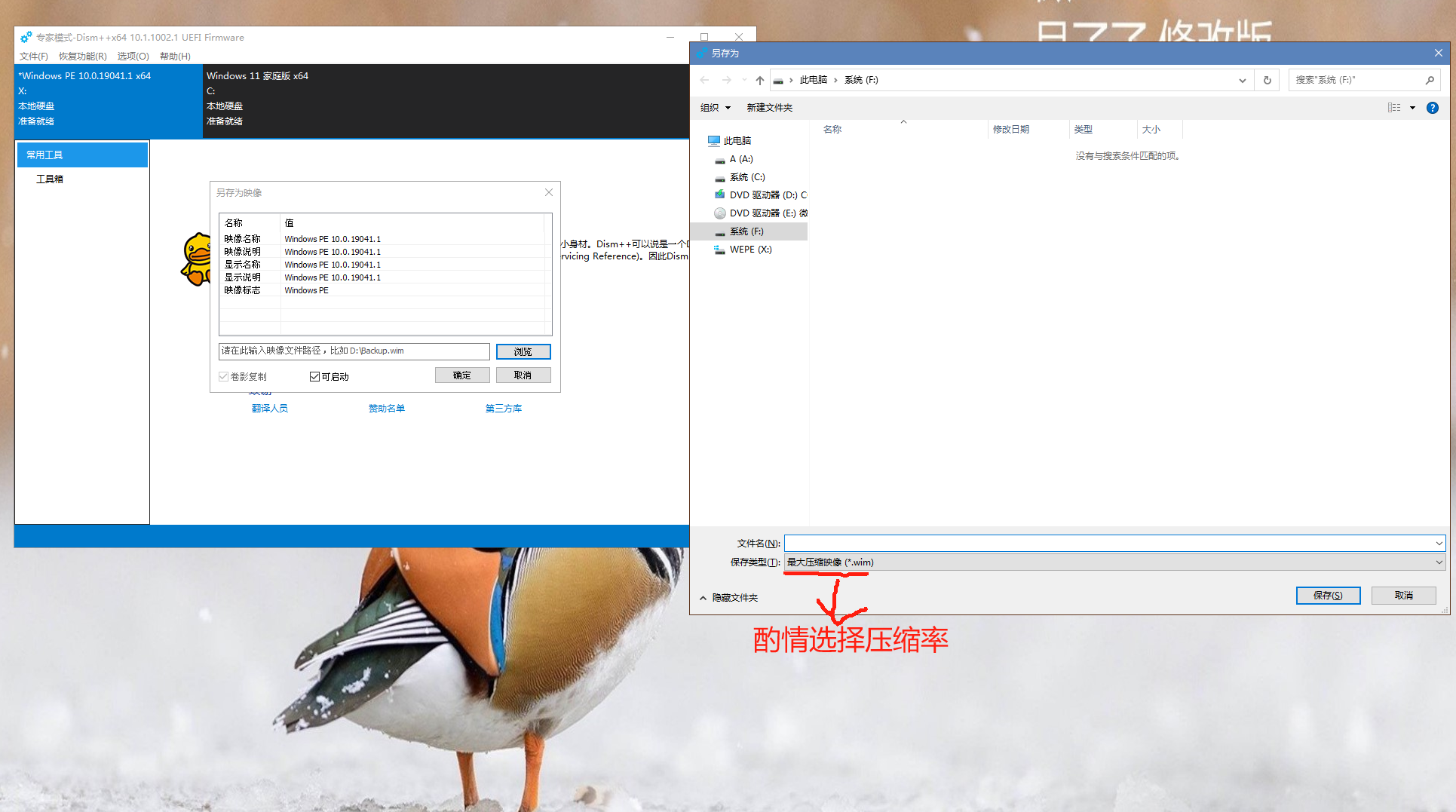
First, to avoid potential stability issues from hot backups, I booted into Windows PE and used dism++. I selected the original system drive, navigated to Restore → System Backup → Browse File Path, chose a compression method, and started the system backup. This process took quite a while.
On my machine, packaging 140 GB of system data took 40 to 60 minutes. So, if you have enough disk space, you can reduce the compression ratio to speed things up.
Next, I used Diskgenius’s Quick Partition feature to partition the new drive, ensuring the new system partition had enough free space to deploy the original system’s WIM package.
After partitioning, I used winNTsetup to deploy the WIM package and automatically initialize the ESP boot partition.
Once deployed, the system migration was theoretically complete. I could simply test if the system booted correctly from the new drive, then replace the old drive with it.
If using an external drive, the resulting system would technically be a Windows To Go (WTG) installation.
Alternative Approach 1: Diskgenius Disk Clone
In Windows PE, within Diskgenius, go to Menu → Tools → Disk Clone, then select the source and target disks.
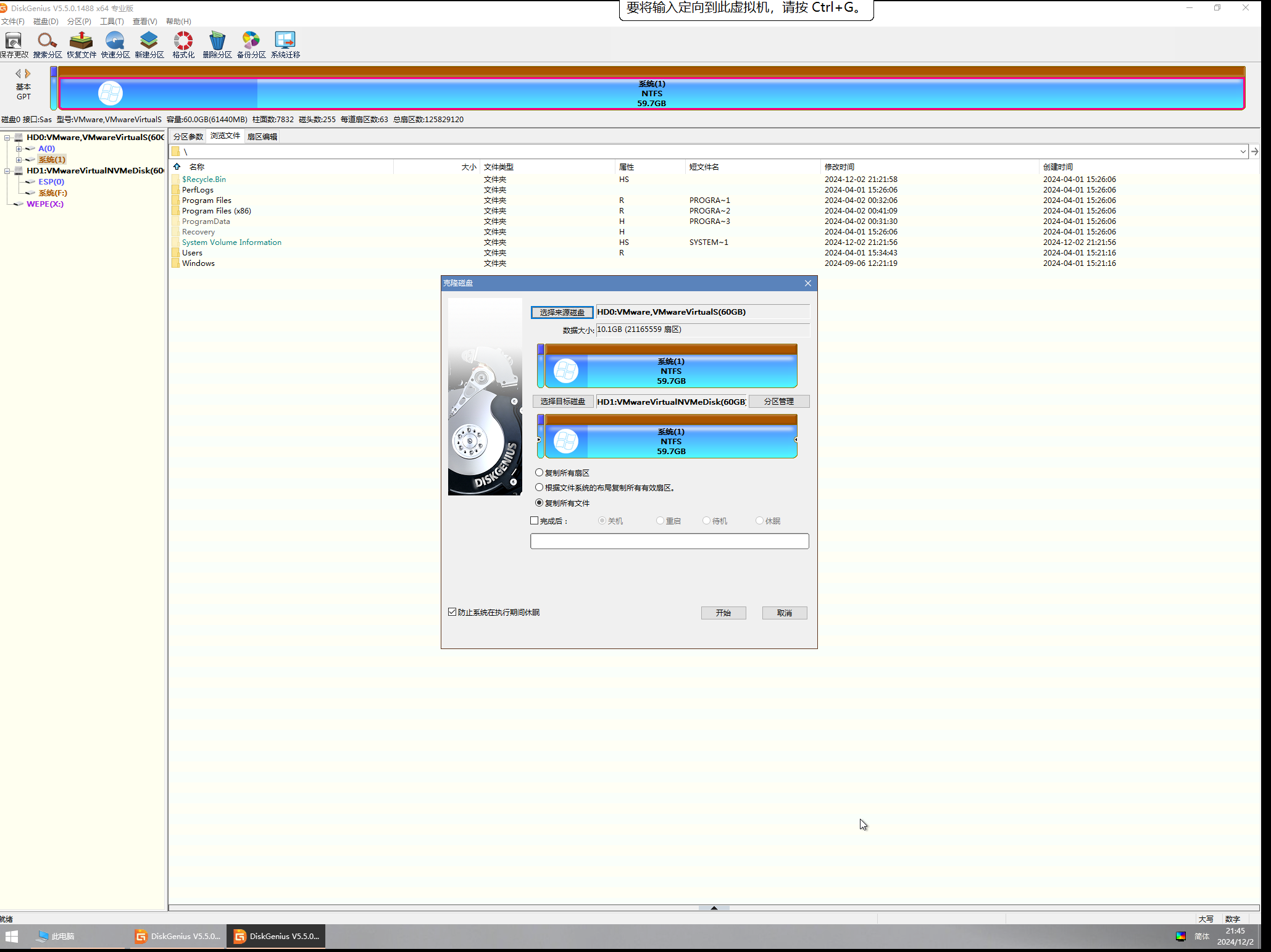
Among the three options, choose based on your needs. If the disk has plenty of free space, the latter two options are preferable.
Since my disk had a large amount of data, I chose to clone all sectors.
One important note: because the ESP partition is also fully cloned, the UEFI bootloader will, by default, boot into the system on the old disk.
Therefore, you must rebuild the bootloader so that UEFI boots the system from the new disk.
Methods to rebuild the bootloader:
- Automatic rebuild: Use dism++ → select the target partition →
Tools → Boot Repair. - Manual rebuild: Use BootICE → select the ESP partition corresponding to the new disk →
\EFI\Microsoft\Boot\BCD→ chooseSmart Edit Mode, change the boot partition and boot disk to the new drive, and save.
Alternative Approach 2: Diskgenius System Migration
In Windows PE, within Diskgenius, go to Menu → Tools and select the source partition and target disk.
In the system migration interface, you can drag the partition box to flexibly adjust partition sizes.
This method is superior to disk cloning because it automatically rebuilds the bootloader, eliminating the need for manual adjustments later.
However, this method only migrates the system partition, so you’ll need to clone other partitions separately using partition cloning. This can slow down the overall data transfer.
Summary
Comparing the three approaches, using WIM packaging and deployment is the most stable, but also the most time-consuming. It only migrates the system partition, requiring a separate Diskgenius partition clone for data partitions.
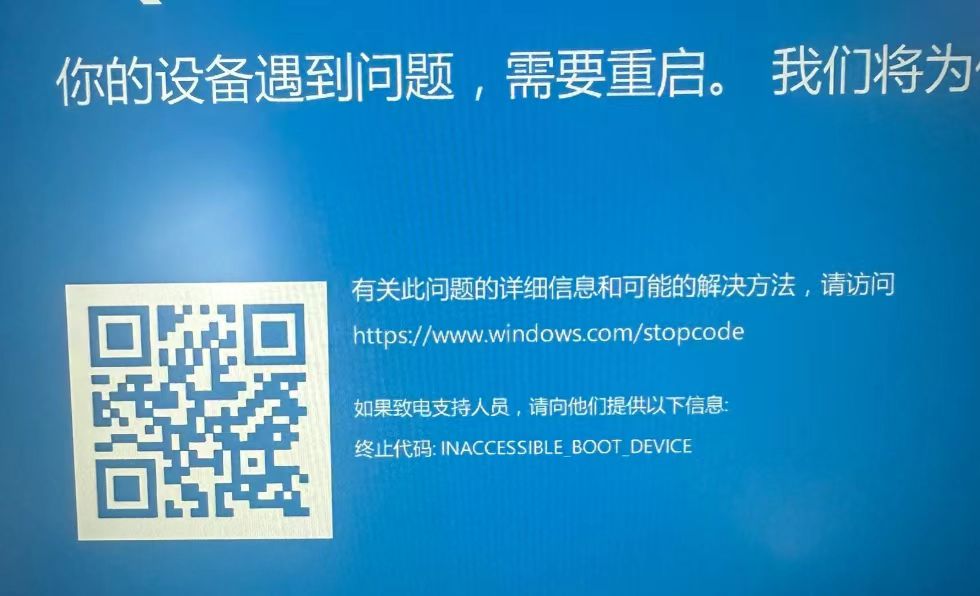
The latter two methods are faster, but neither succeeded on my machine. After booting, I encountered an INACCESSIBLE_BOOT_DEVICE blue screen, the cause of which remains unknown.