One Hard Drive, Multiple EFI Partitions? Which One Does the UEFI Firmware Ultimately Choose to Boot?
One Hard Drive, Multiple EFI Partitions? Which One Does the UEFI Firmware Choose to Boot?
What we typically see is fairly standard: a hard drive has one EFI partition, usually located as the first partition on the drive, around 200MB–500MB in size. The file system type of an EFI partition is typically FAT32, FAT16, or FAT.
But let’s think about the essence of an EFI partition—it’s simply a partition with a FAT32 file system containing boot files (this article only considers FAT32). So, if a hard drive has multiple FAT32 partitions, each containing system boot files, which one does the UEFI firmware choose by default when booting the computer?
To explore this question, I conducted an experiment.
Experiment Setup
- This experiment was simulated using VMware 17.5.
Since different motherboards have different UEFI firmware, the results may not be universally applicable. The results are valid for VMware’s motherboard.
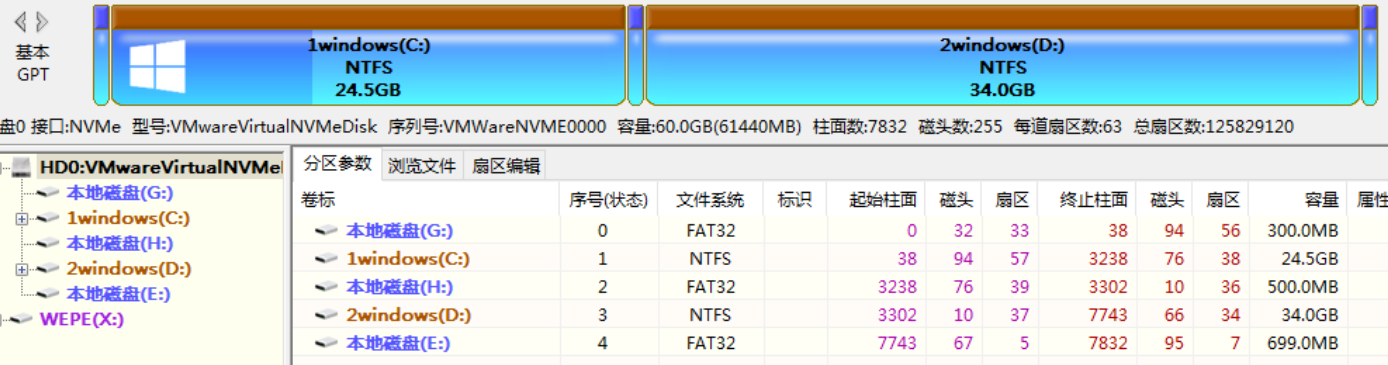
The hard drive partition layout is as follows:
- Partition 1: EFI1
- Partition 2: Installed Windows 10 system
- Partition 3: EFI2
- Partition 4: NTFS data storage partition
- Partition 5: EFI3
Partitions are ordered from left to right on the hard drive.
Experiment Approach
By adding different boot entries to EFI1, EFI2, and EFI3, I could distinguish which EFI partition’s boot files the UEFI firmware actually used (mainly by modifying the BCD file’s menu). By deleting any one of the EFI partitions and observing which EFI partition the UEFI firmware booted from, I determined the logic behind the UEFI boot selection.
Conducting the Experiment
I created boot files for EFI1, EFI2, and EFI3, each capable of booting the Windows system on Partition 2.
I edited the BCD files in EFI1, EFI2, and EFI3 as follows:
$$
BCD
$$
- EFI1:
- Windows 10
- 1111
- EFI2:
- Windows 10
- 2222
- EFI3:
- Windows 10
- 3333
Note: 1111, 2222, and 3333 are only used to distinguish which EFI partition the BCD file belongs to, thereby inferring which EFI partition the UEFI firmware booted from.
I saved the current state of the virtual machine as Snapshot 1.
Boot the virtual machine. The Windows Boot Manager screen displays as follows:
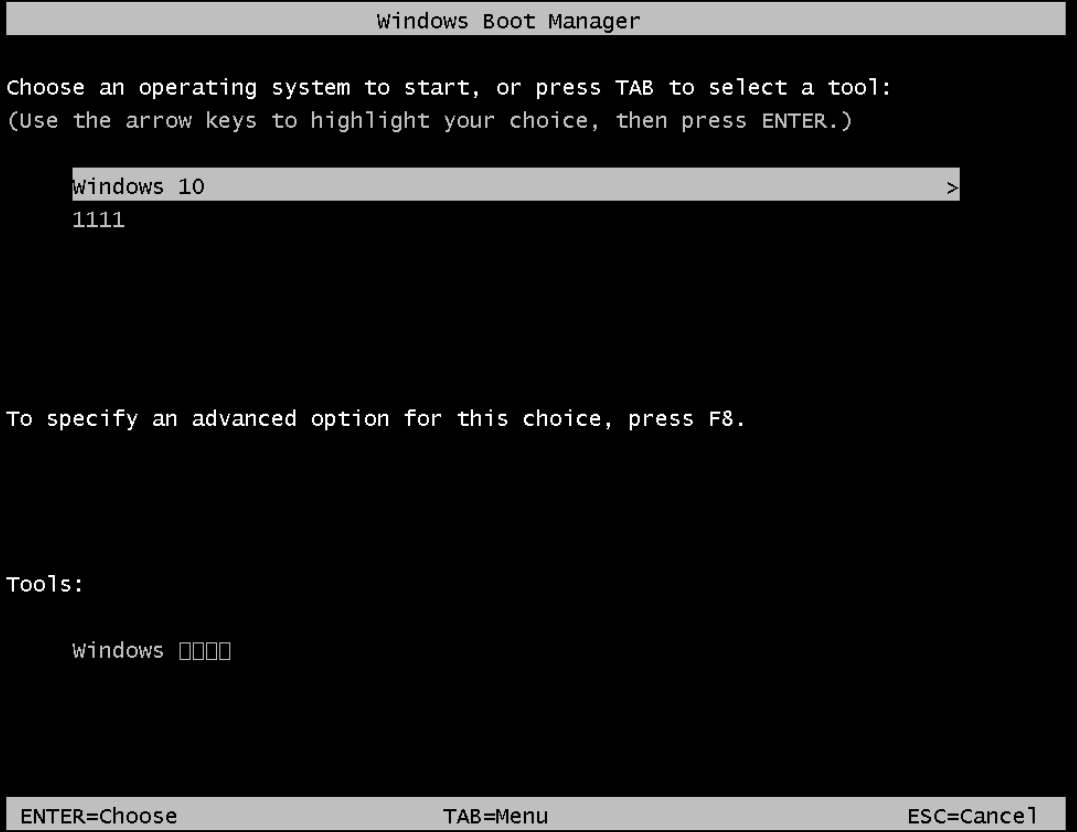
This indicates that EFI1 was booted—the first valid EFI partition in order.
Format EFI1, then reboot the virtual machine. The Windows Boot Manager screen displays as follows:
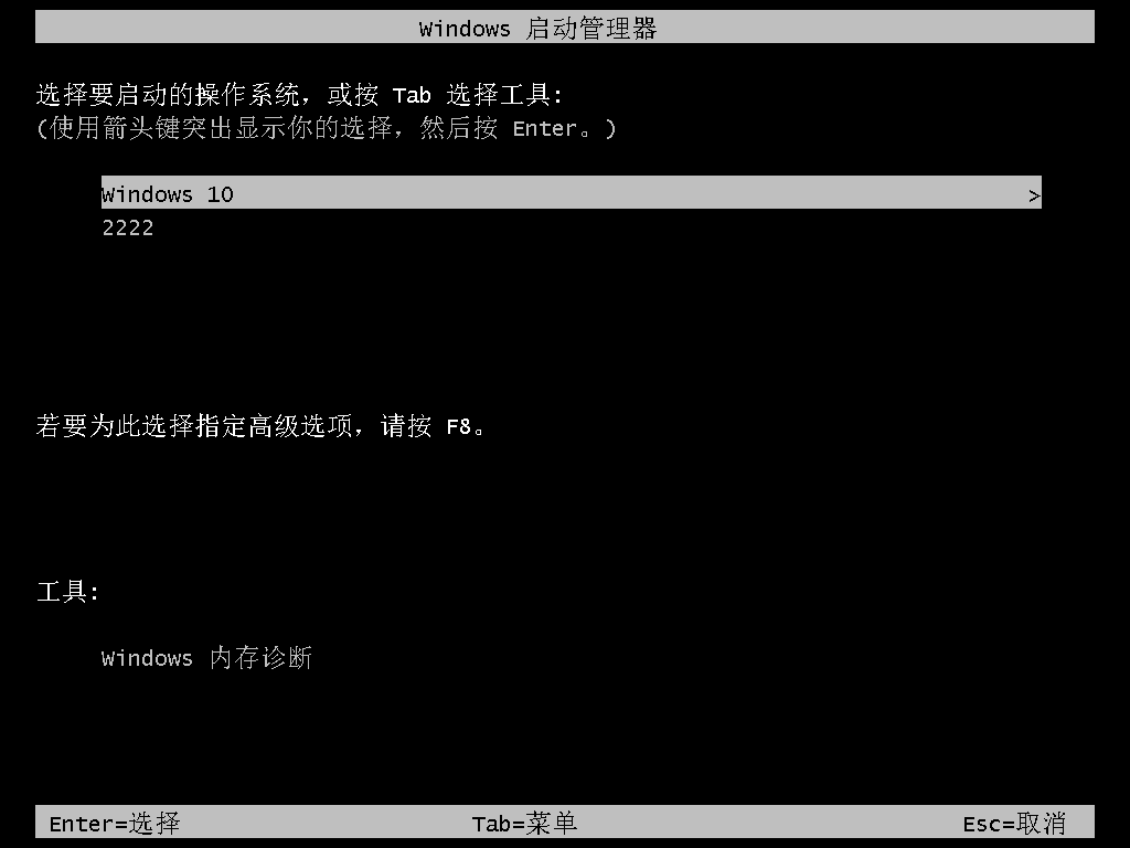
This indicates that EFI2 was booted—again, the first valid EFI partition in order.
Format EFI2, then reboot the virtual machine. The Windows Boot Manager screen displays as follows:
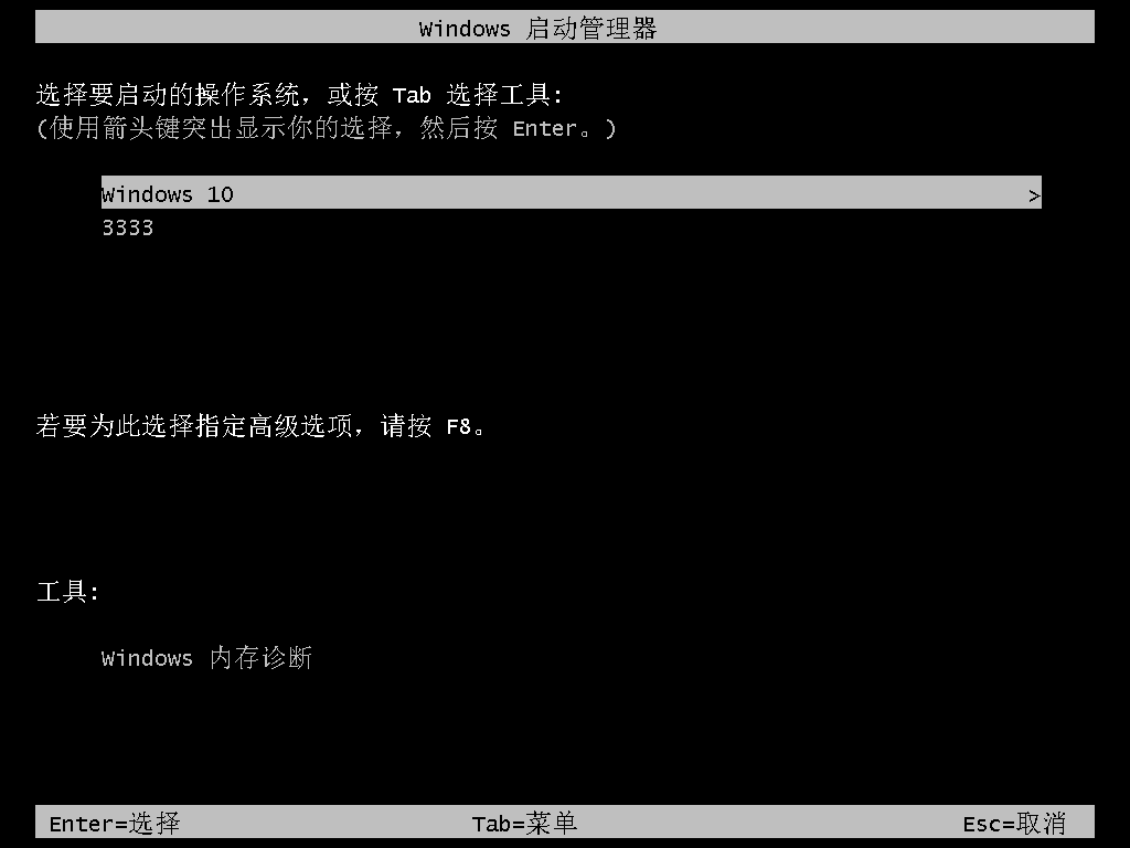
This indicates that EFI3 was booted—once again, the first valid EFI partition in order.
Restore the virtual machine to Snapshot 1 (the initial state).
Format EFI2. Reboot the virtual machine. The Windows Boot Manager screen displays as follows:
This indicates that EFI1 was booted—the first valid EFI partition in order.
Restore the virtual machine to Snapshot 1 (the initial state).
Format EFI3. Reboot the virtual machine. The Windows Boot Manager screen displays as follows:
This indicates that EFI1 was booted—the first valid EFI partition in order.
Restore the virtual machine to Snapshot 1 (the initial state).
Format EFI1 and EFI3. Reboot the virtual machine. The Windows Boot Manager screen displays as follows:
This indicates that EFI2 was booted—the first valid EFI partition in order.
Restore the virtual machine to Snapshot 1 (the initial state).
Format EFI1, EFI2, and EFI3. Reboot the virtual machine. The virtual machine fails to boot into Windows Boot Manager.
Experiment Conclusion
In summary, when VMware’s UEFI motherboard encounters multiple EFI partitions on a single hard drive, it defaults to reading the first valid EFI partition in order to boot the system. This is independent of the EFI partition’s location, partition parameters, or size.
More broadly speaking, the UEFI firmware defaults to reading the first valid boot partition it can recognize on the hard drive to boot the system (since some UEFI firmware can also recognize exFAT).