System broken but don't want to reinstall? Lv Liaoliao handcrafts system repair software to help you fix it.
System Broken and Don’t Want to Reinstall? Lv Liaoliao’s Custom System Repair Tool Has You Covered
Windows system acting up, but you don’t want to reinstall?
Indeed, after years of using Windows, we’ve installed all sorts of software and made countless personalized configurations. Having to start from scratch after a reinstall is truly frustrating.
So, is there a way to fix system issues without reinstalling?
Yes! Today, I’m bringing you an original little tool:
System Repair Tool & System Repair_PE Edition
Follow me, reply “repair” in the official account to get the download link.
System Repair Tool Overview
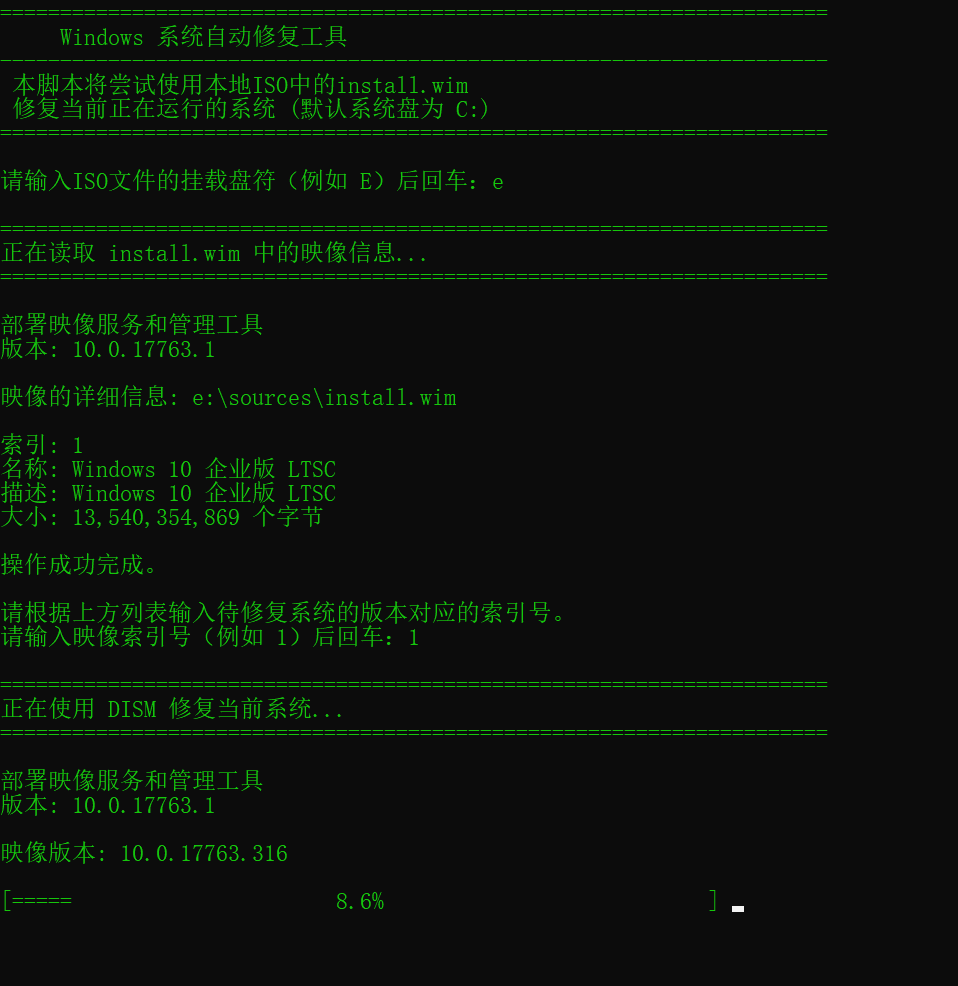
The System Repair Tool is a BAT script that runs within Windows to fix issues with the current Windows system.
- Screenshot
How to Use
Double-click to open the tool. It will request administrator privileges—click “Yes.”
Prepare a Windows installation ISO file that matches your current system version. Double-click the ISO to mount it in File Explorer (assume the mounted drive letter is E).
Enter the mounted drive letter of the ISO file (e.g., E) and press Enter: E
The tool will then list all system package versions contained in the install.wim file from the Windows ISO, each numbered.
Based on the list above, enter the index number corresponding to the system version you want to repair. Enter the image index number (e.g., 6) and press Enter: 6
The tool will then automatically begin repairing your current system.
System Repair_PE Edition Overview
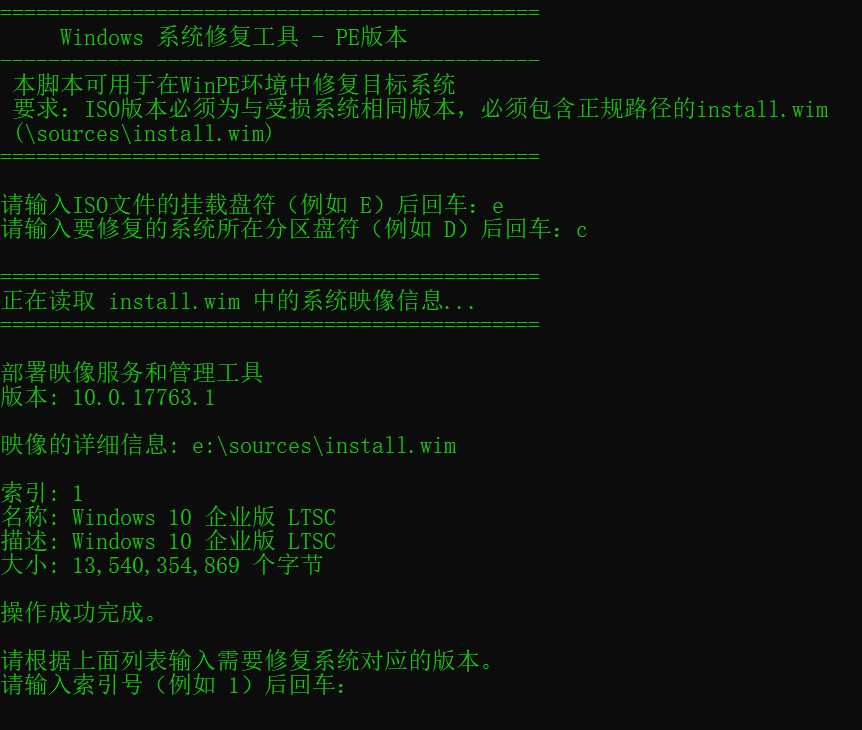
Please note: This is the PE version, designed for situations where your computer cannot boot normally or the system is severely damaged. It must be run in a PE environment and cannot repair the currently running system!
Important: This tool requires your PE system to include the SFC component! Currently, microPE does not have SFC, so it cannot run in microPE. It can run in Yiqitong PE.
How to check if your PE system includes SFC:
Boot into the PE system.
Press Win+R, type cmd, and press Enter.
In cmd, type sfc and press Enter.
If it shows “‘sfc’ is not recognized as an internal or external command, operable program or batch file.” then your PE does not have SFC functionality!
- Screenshot
How to Use
In the PE system, prepare a Windows installation ISO file that matches the version of the system you want to repair. Double-click the ISO to mount it in File Explorer (assume the mounted drive letter is E).
Enter the mounted drive letter of the ISO file (e.g., E) and press Enter: E
Enter the drive letter of the partition containing the system to be repaired (e.g., D) and press Enter: D
Note: Be careful to identify the correct drive letter of the target Windows system partition in PE—it may not be C:.
Based on the list above, enter the index number corresponding to the system version you want to repair. Enter the image index number (e.g., 1) and press Enter: 1
Wait for the tool to repair the system.
Tip: The SFC scan process is relatively slow and does not show a progress bar. This does not mean the tool is not running—please be patient.
How It Works
The tool leverages the DISM and SFC components built into Windows to repair the system.
First, it uses DISM to repair system components in the WinSxS folder. Then, it uses SFC to scan and repair system file integrity.
If you prefer not to use this tool, you can repair your system using the following commands:
- Repair the current system: (Run cmd as administrator)
1 | |
After execution completes:
1 | |
- Repair an offline system in PE: (Press Win+R to open cmd)
1 | |
After execution completes:
1 | |
Note: Your PE system must include the SFC component for the sfc commands to work.
Follow me, reply “repair” in the official account to get the download link.