Windows Update Pain Points: Can't Disable It? How to Completely Turn Off Windows Updates? Here's a Handy Little Tool!
Windows Update: A Painful Headache That Can’t Be Disabled? Here’s How to Completely Turn It Off — A Handy Little Tool for the Win 666
Windows Update policies have long been a source of frustration for Windows users worldwide. They’re criticized for consuming massive amounts of C drive space, being far too frequent, introducing more system issues after updates, and even causing boot failures or blue screens.
Yet, after each successful update, the user experience shows no noticeable improvement. In fact, system stability often feels degraded, and lag becomes more pronounced.
Some netizens jokingly refer to Windows Update as “Bug 11 pushing yet another bug.”
So, is there a lightweight tool that can permanently disable Windows Update? Wub is the perfect choice.
Wub (Windows Update Blocker) is a dedicated tool for disabling the Windows Update service. The software is only 939KB, clean, and portable.
Wub official download link (hosted overseas, may be inaccessible):
https://www.sordum.org/9470/windows-update-blocker-v1-8/
Since the software interface is in English, I’ve localized it to Chinese. Follow the WeChat public account and reply with “wub” to get a free, unlimited-speed download link.
How to Use
Double-click to run Wub_x64.exe, select “Disable Updates, Save Service Settings,” then click the “Apply” button below. This will immediately turn off system updates for both Windows 10 and Windows 11.
To re-enable updates, click “Enable Updates” and apply.
How It Works
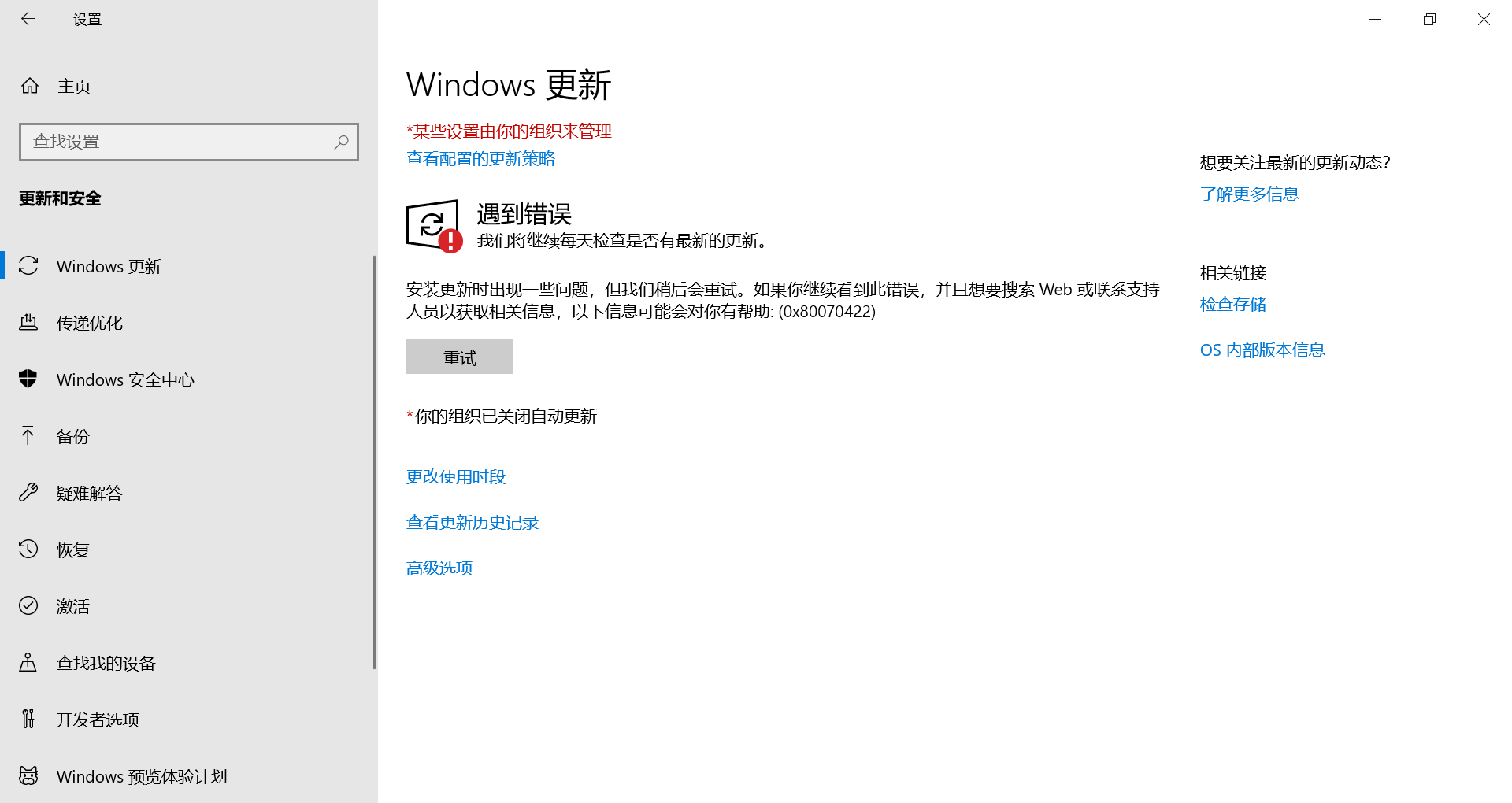
Wub disables Windows Update by modifying system registry and group policy settings. Once updates are blocked, you’ll see the following effect in Settings > Windows Update:
Consequences of Disabling Updates
Disabling Windows Update will result in the following:
- Microsoft Store cannot download, install, or update new apps.
- Unable to install new features or language packs via “Settings.”
All of the above issues can be resolved by re-enabling Windows Update through Wub.