Application Introduction 1
Introduction to Applications 1
In Windows, the essence of an application (software) is a file. The most common type of application file is the .exe file. We will introduce this from several aspects: software installation, portable software, and single-file applications.
Software Installation
Generally, many of the software we use requires an installation process before it can be used. The application that installs software is called an installer. Essentially, an installer is also an application.
Introduction to Installers
The most common file format for installers is .exe. Some software installers come in .msi or .appx formats, but these are less common and won’t be covered here. An installer contains all the component information for a piece of software.
In fact, an .exe installer is essentially a compressed archive. You can think of it like a zip file—the developer has compressed all the components and configuration files needed for the software into the installer. However, the key feature of this compressed file is that it is self-extracting.
When you double-click an installer, the .exe file immediately begins to self-extract, secretly placing the extracted files into a temporary folder on the C drive. Then, the files in that temporary folder start running, and the software installation process begins.
During installation, you are usually asked to choose an installation path. If you don’t, the default is the C drive. However, if everything is installed on the C drive, you may suffer from a full C drive. So, try not to install software on the system drive!
So, what exactly happens in the system during software installation? It can be broken down into two main steps: extracting files and writing to the registry. Don’t be intimidated by these terms! Programmers just like to create obscure jargon :)
Extracting Files
This is the process of storing the files from the installer into the software installation location you chose. It’s easy to understand: the files needed for a software to run must be in one folder; otherwise, the software can’t go running all over the computer looking for its “family”!
Writing to the Registry
When the installation progress bar is about to reach the end, most installers perform the write to registry operation. So, what exactly is the registry?
The Registry
The registry stores all configuration information for the system and applications. When you modify your computer’s settings, it can sometimes be frustrating. Some settings are in the Settings app, while others require opening the Control Panel. This often drives us crazy! How can we remember which settings are in Settings and which are in Control Panel?
In fact, no matter where you modify settings, the essence of the change is that you are altering the contents of the registry file. To reiterate, the registry file contains all configuration information for the system’s hardware and software.
*You might think, “If that’s the case, I can just find the registry file and change its values to modify various system settings, right?” Theoretically, you’re correct. Unfortunately, the registry file is unreadable to us. :(*
To edit the registry, we use the built-in Windows tool called Registry Editor.
How to Access It
1. Click the Start menu
2. Expand the Windows Administrative Tools folder
3. Click Registry Editor
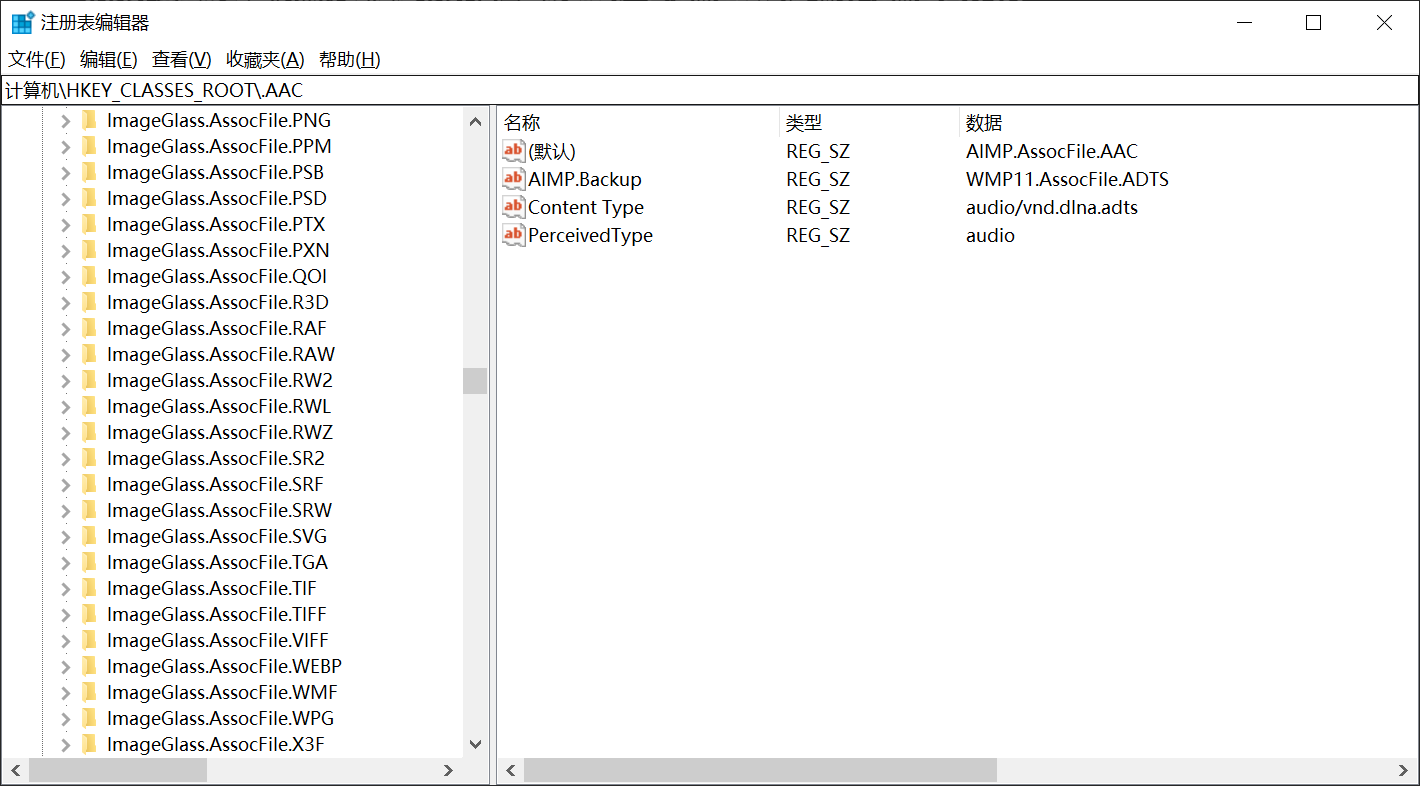
This interface is truly “difficult to understand.”
Now that we understand the role of the registry, you can probably grasp why installing software requires “writing to the registry”!
Let me give you a simple example to illustrate the purpose of writing to the registry during software installation. If your computer doesn’t have Office or WPS installed, you cannot open a .docx file (i.e., there is no supporting application). Now, suppose you install WPS. After installation, you can directly open .docx files. How does the operating system know that WPS can be used to open .docx files?
Before the installation finishes, WPS writes information to the registry, registering a “new” file type: .docx. It tells the computer, in code, that from now on, opening .docx files relies on WPS!
From the above introduction, you can probably see how important the registry is. Indeed, the registry is the core configuration of the operating system and should never be modified lightly! The author once added a symbol in front of a registry entry, causing the computer to crash immediately, unable to boot, and requiring a complete system reinstall :(