How to selectively back up files when using Dism++ for system backup?
Using Dism++ to Back Up Your System: How to Selectively Exclude Files?
When using the DISM tool to back up the system drive (C: drive) on Windows, there are times when you don’t want to back up every single file. However, without additional configuration, Dism++ has no way of knowing which files you’d like to exclude from the backup. By default, Dism++ backs up all necessary files on the C: drive.
This can sometimes result in unnecessarily large system backup images that waste disk space.
Today, I’ll show you how to tell Dism++ to selectively save your files, reducing the size of the generated WIM/ESD package.
Viewing the Exclusion List
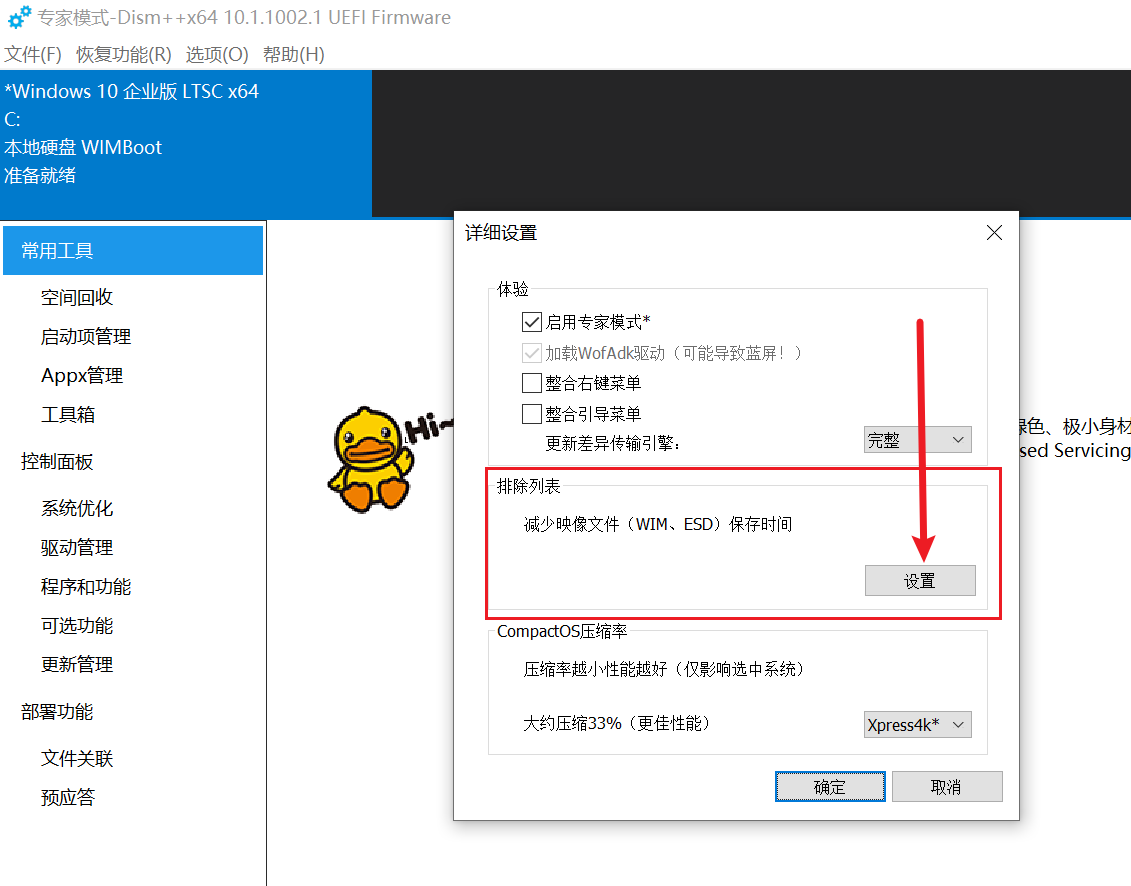
Open Dism++, then click Options → Detailed Settings.
Click “Settings” under the “Exclusion List” section.
Each line in this list represents a file or folder directory to exclude.
These directories are pre-configured by Dism++ and are files that don’t need to be backed up by default. You can leave them as they are.
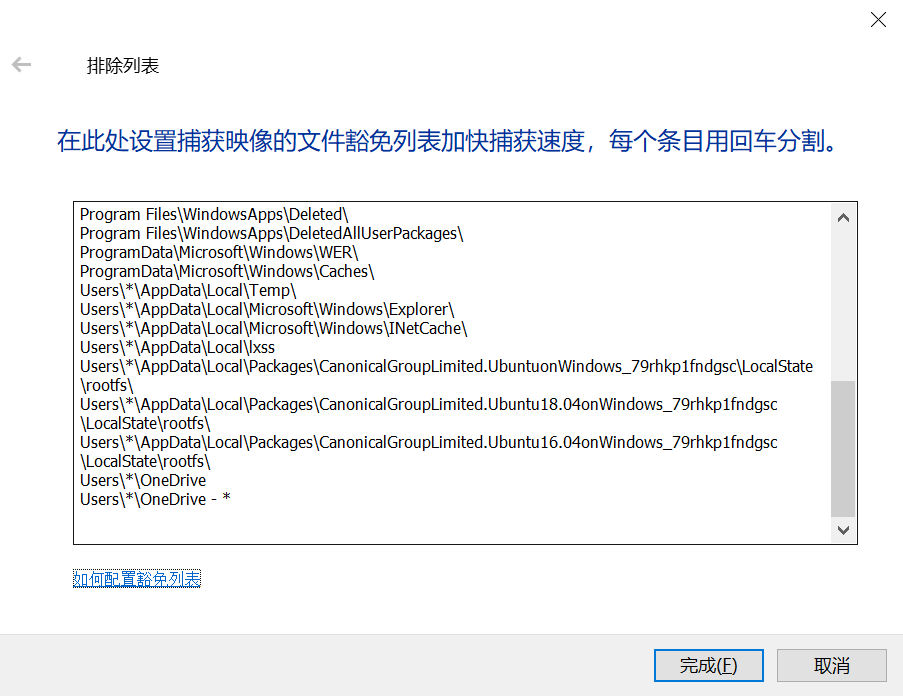
All you need to do is “follow the pattern.”
Configuring the Exclusion List
Based on the existing examples in the list, if you want to exclude the C:\newfolder\sample folder from the backup, simply start a new line in the exclusion list and enter:
1 | |
Notice that C:\ does not need to be included—only the path after the drive letter is required.
Note:
- Each line represents one excluded folder or file.
- If you want to exclude specific file types within
C:\newfolder\sample, such as all.txtfiles, enternewfolder\sample\*.txt.- The exclusion list has limited support for Chinese characters. If your directory path contains Chinese characters, the exclusion may fail.
In fact, Microsoft’s DISM tool also pre-excludes certain system files, such as the hibernation file \hiberfile.sys, the page file \pagefile.sys, the swap file \swapfile.sys, the \System Volume Information folder, the \RECYCLER Recycle Bin, the \Windows\CSC folder, and also excludes compression for specific file types during backup, such as MP3, ZIP, CAB, and \WINDOWS\inf\*.pnf.