Compact Mode Startup
Compact Mode Boot
Compact means compression. As the name suggests, this is a compression-based boot technology.
Compact boot mode was introduced even later than WIMBoot, and was first brought to Windows 10 by Microsoft. Compared to normal boot and WIMBoot, Compact boot has the following advantages:
1. Reduces C: drive space usage: Compact directly compresses system files on the C: drive, thereby reducing disk space consumption.
2. High flexibility: We can easily enable or disable Compact mode, just like turning a feature on or off. This can be done directly within a normal Windows 10 environment. The operation is transparent to the user—you won’t notice anything except the change in C: drive size.
3. Remains effective after system updates: For WIMBoot, system updates are a critical weakness. Updates change the version numbers of almost all system files on the C: drive, making them different from the files in the WIM package. As a result, all file pointers on the C: drive are replaced with the actual updated files, rendering the WIM package useless.
For Compact, since it directly compresses the system files on the C: drive itself without involving pointer files, updated system files can also be recompressed. Therefore, it never becomes invalid.
Installing Windows 10 in Compact Mode
Installing Windows 10 in Compact mode within a PE system is very simple. Just select Compact mode in the bottom-right corner of WinNTSetup. The rest of the operation is the same as the traditional installation method.
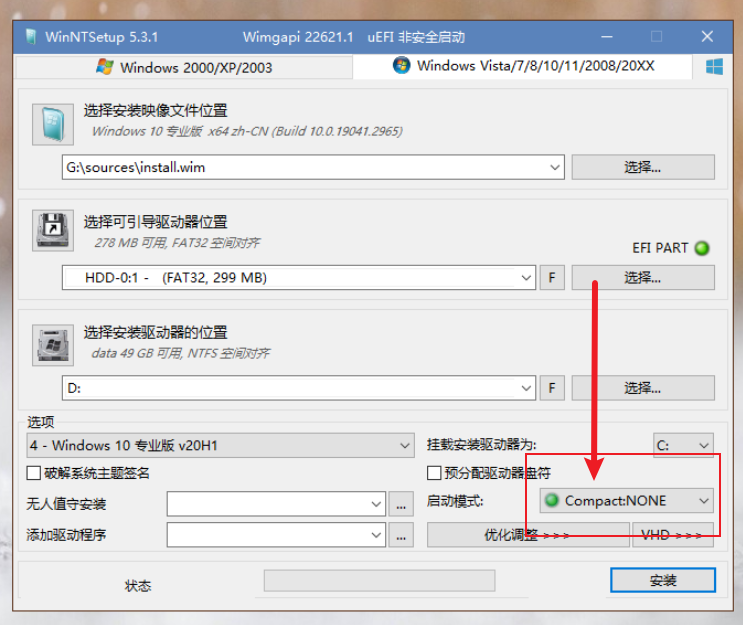
You might be wondering: Why are there so many Compact options below? Which one should I choose? :) Actually, these are different compression levels of Compact mode. Among them, LZX offers the highest compression ratio and saves the most space, while NONE is the default compression mode, which saves relatively less space.
If you want to enable or disable Compact within a Windows 10 system, you can use the tool Dism++.
Steps:
1 | |
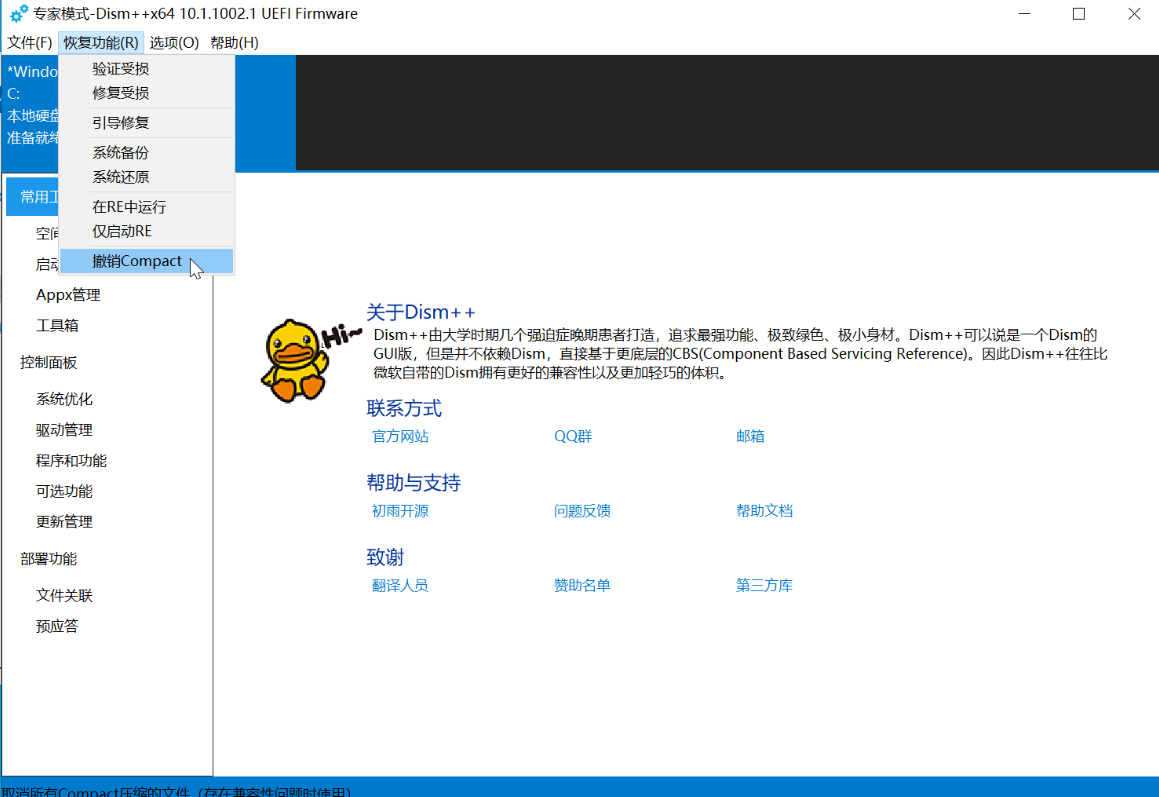
This will disable Windows Compact.
Similarly, you can use this software to enable Compact.