Micro PE Toolbox Lv Liaoliao Modified Version: Optimization Update!
LV_LELE’s Modified WePE Toolbox: Optimized & Updated!
Major Changes in This Update
- Start Menu Optimization
- Removed shortcuts for unused tools
- Eliminated invalid white shortcuts from the Start Menu
- Added Start Menu shortcuts for
WinNTSetup, WimTool, Snapshot, Windows Password Cracking Tool
- Software Updates & Optimization
- 7-Zip updated to the latest version
2600 - DiskGenius
v6.0.1.1645Professional Edition - Latest modded version of Dism++ (WimGAPI updated to
10.0.28000.1, with Bilibili creator@闰月优葡‘s latest Data cleanup rules from late March 2026) - Restored WePE’s built-in Chinese input method (Extreme Wubi, supports Pinyin input)
- Updated CGI Backup & Restore (single-file version) to
5.0.0.6 - Updated native GHOST to the latest version
12.0.0.13027 - Updated image viewer Imagine to
2.5.0 - Added Windows Password Cracking Tool: NTPassword.exe
- Added Snapshot backup & restore tool (supports Chinese paths)
- Added WimTool
v2.0.2026.01.03 - Updated WinNTSetup to the latest version
v5.4.2 - Updated the
MAS_AIO_v3.10activation tool’s exported$OEM$folder to default toTSforgemode for system activation - Added a one-click EFI partition mounting script:
ESP.bat
- 7-Zip updated to the latest version
Due to its minimalist nature, WePE Toolbox will never support network functionality, and I will not include third-party drivers.
WePE Toolbox has never been the most powerful PE, but it is the fastest, most streamlined, cleanest, and quietest PE. It’s worth keeping on a USB drive for operations personnel, and it’s worth my effort to update and optimize its internal software.
Download
Follow this official account and reply with wepe123 in the backend to get the download link.
Do not reply in the comments section below!
- Filename: lvlele_WEPE_v2.3.2.iso
- File Size: 327387136 bytes (328 MB)
- MD5: b0ebc4f04056d9b421c9412962c3b457
Screenshots
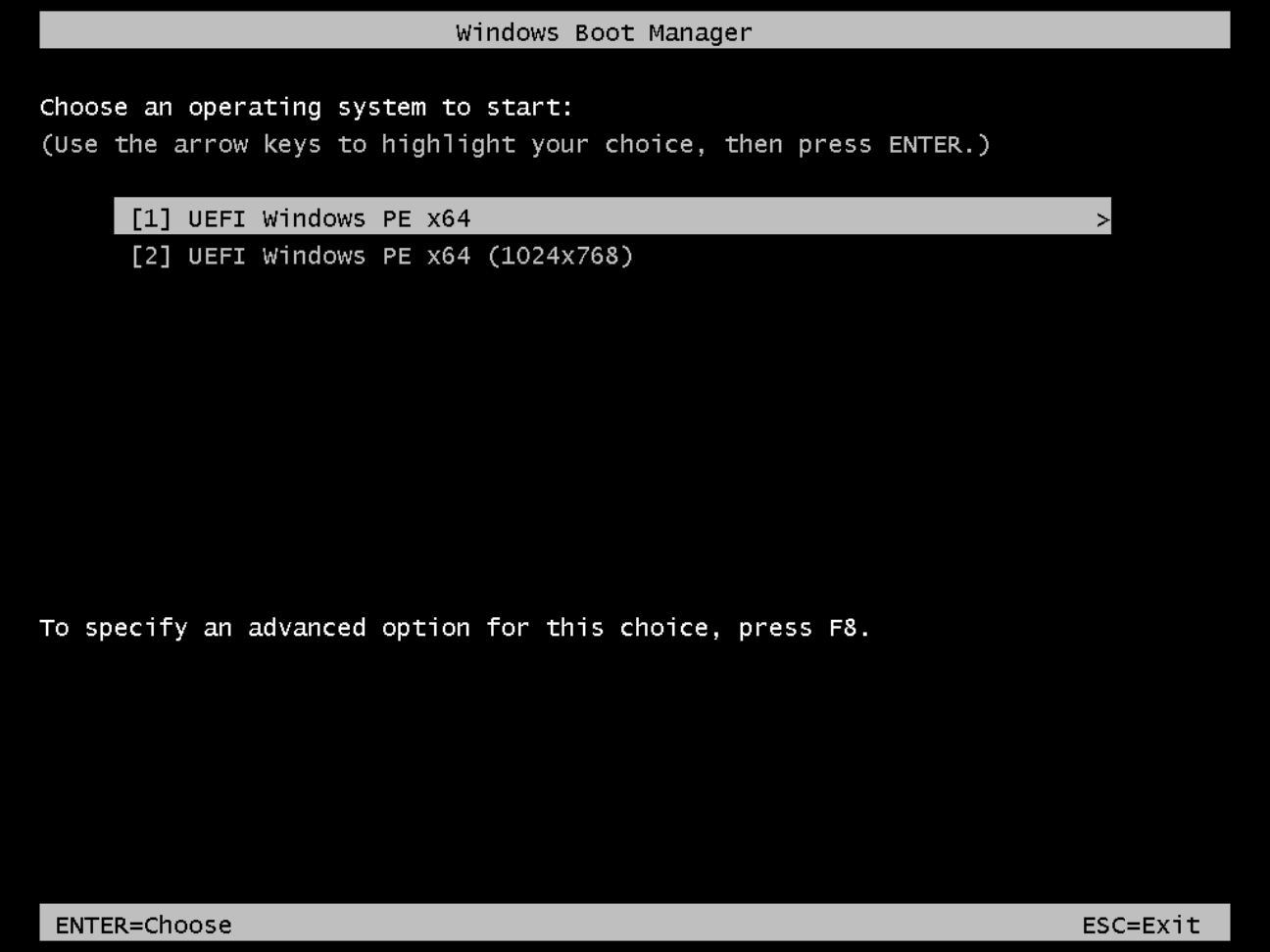
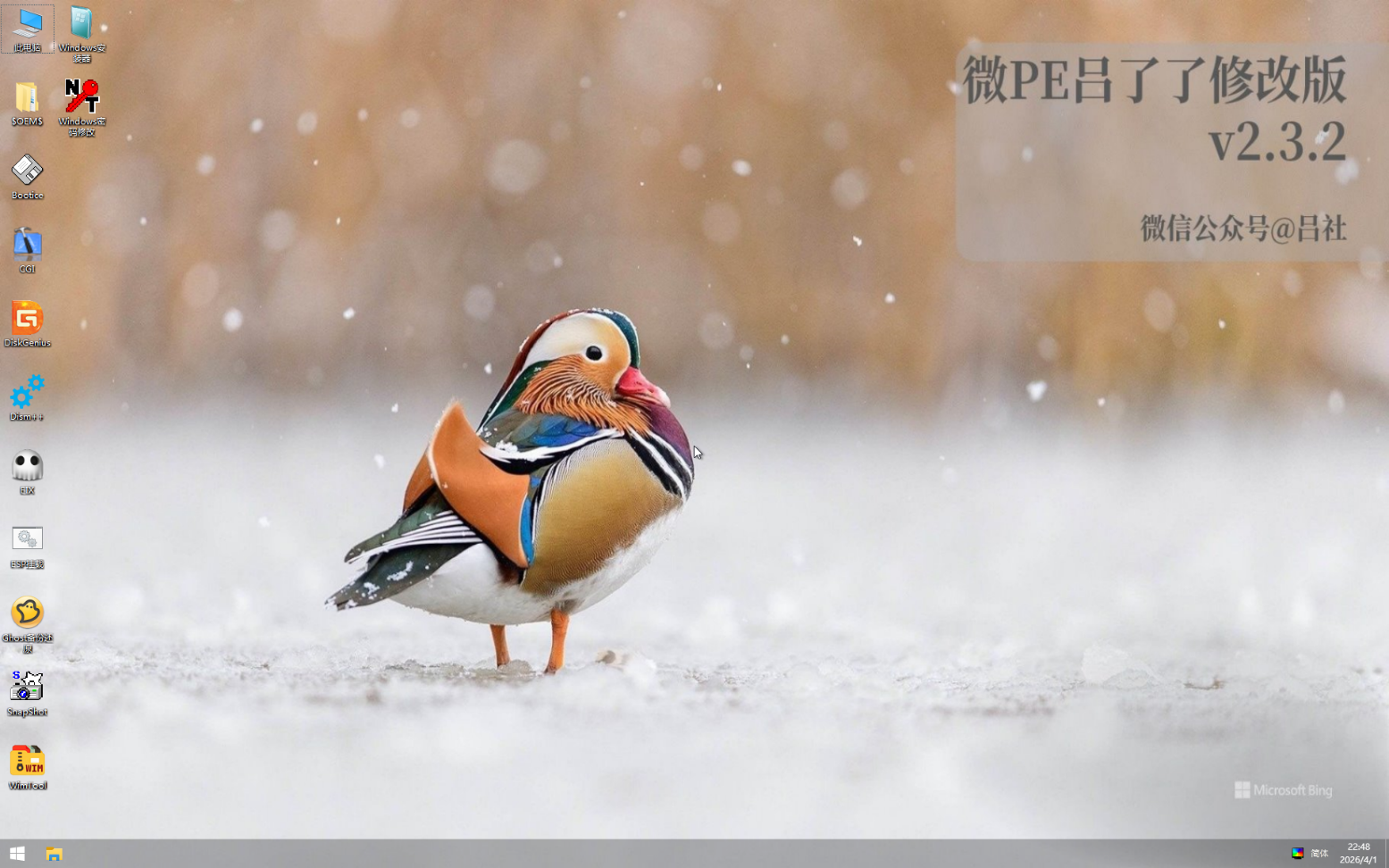
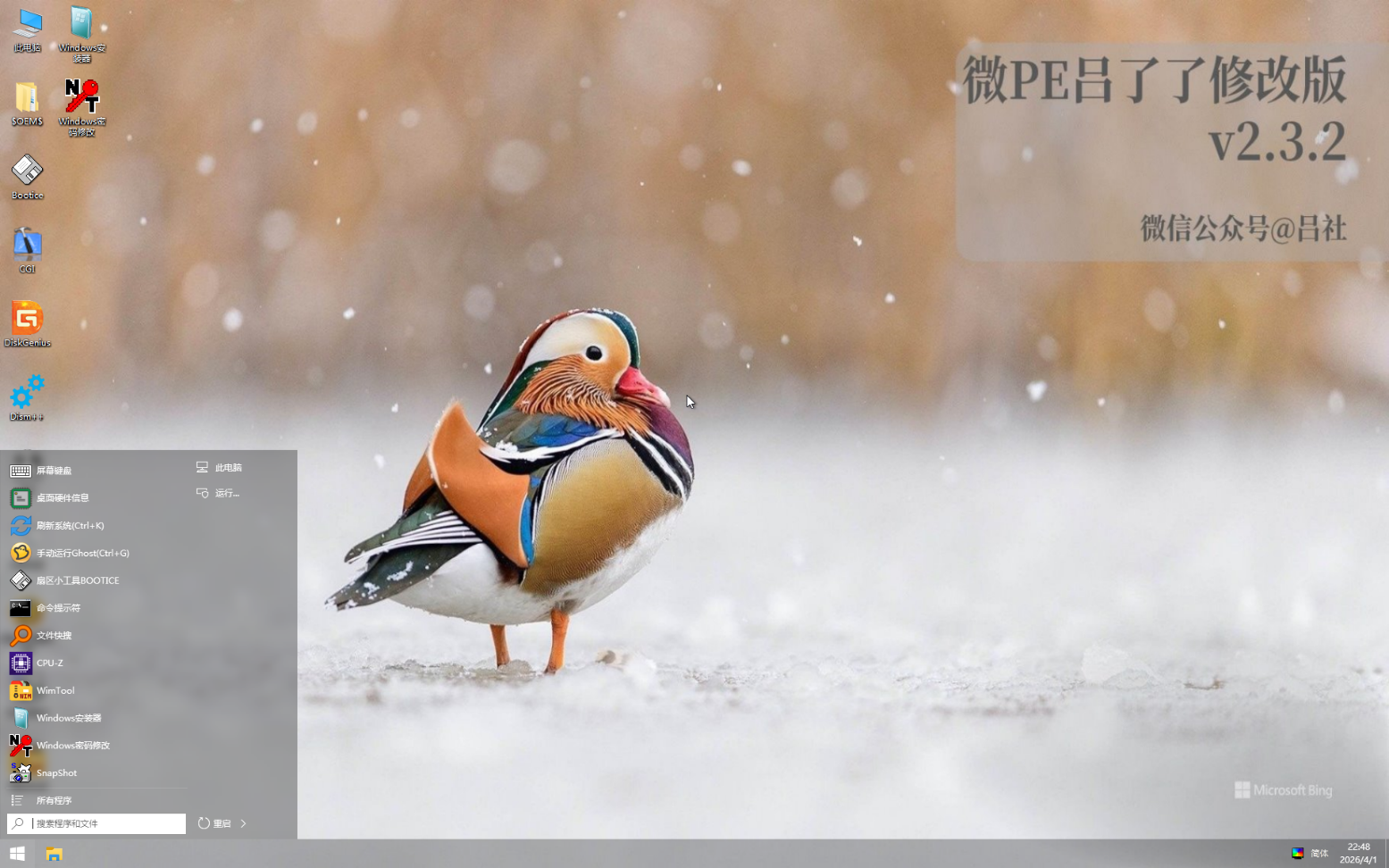
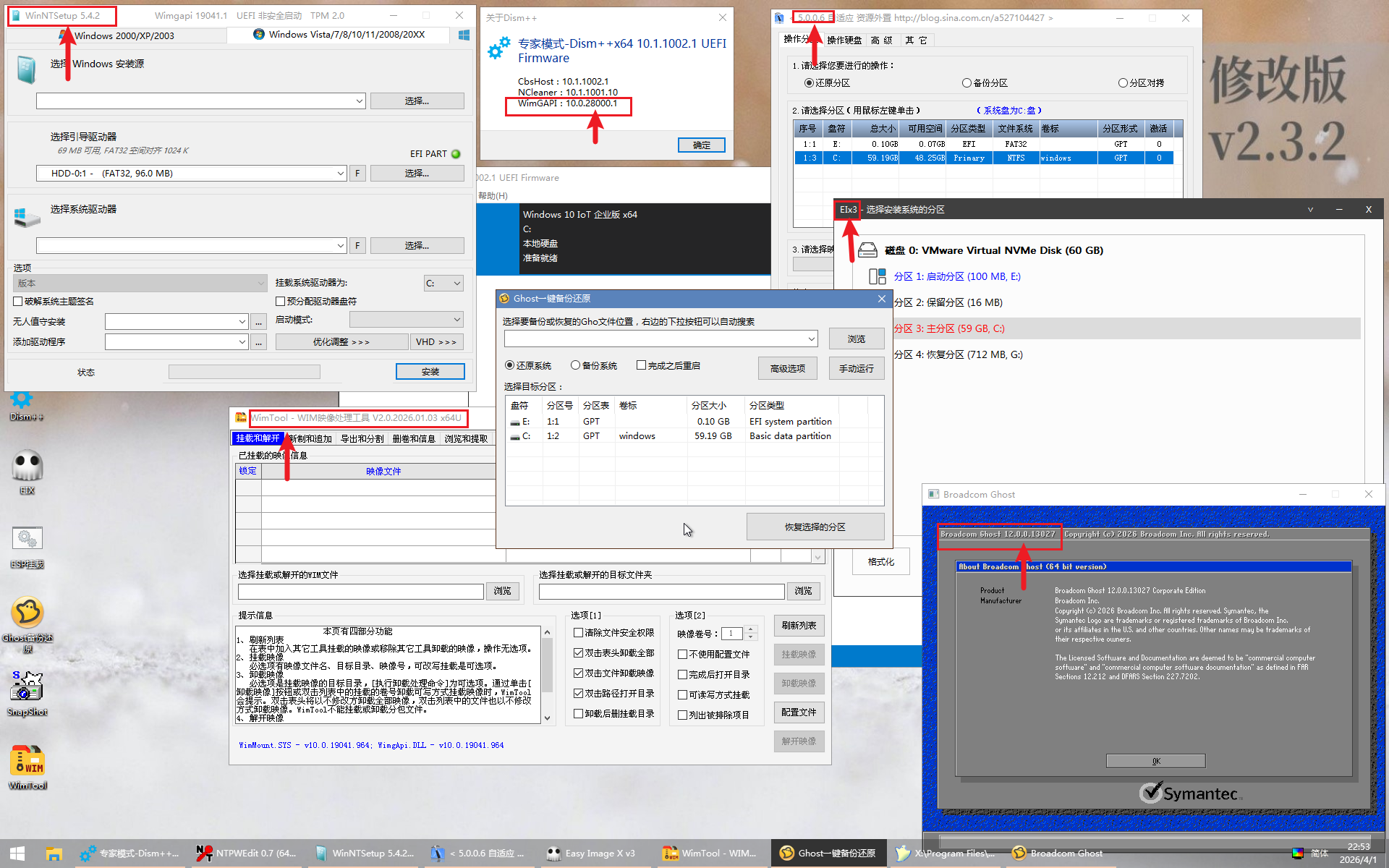
Usage Instructions
For testing in a virtual machine: Simply mount the
lvlele_WEPE_v2.3.2.isofile to the virtual machine and boot it.For installation on a USB drive: Using the
Most Complete Driver PE Bootable Drive Creatoris the simplest and best method. (This tool is also provided in the same cloud drive link aslvlele_WEPE_v2.3.2.iso)!!!!!Note: The
Most Complete Driver PE Bootable Drive Creatorwill format the USB drive when creating the PE bootable drive. Please ensure data safety and confirm the correct USB drive is selected before proceeding.
If you prefer not to format your USB drive, please refer to my self-created method for making a PE bootable drive.
This method involves manually creating the PE, which is more complex and not suitable for beginners. Read at your own discretion.
Follow this official account and reply with wepe123 in the backend to get the download link.