Windows PE instantly transforms into Windows RE? Who is actually using whom?
Windows PE Turns into Windows RE? Who’s Actually Using Who?
A comment from a reader raised a very interesting question.
When we boot from the original Windows ISO, we see this screen:
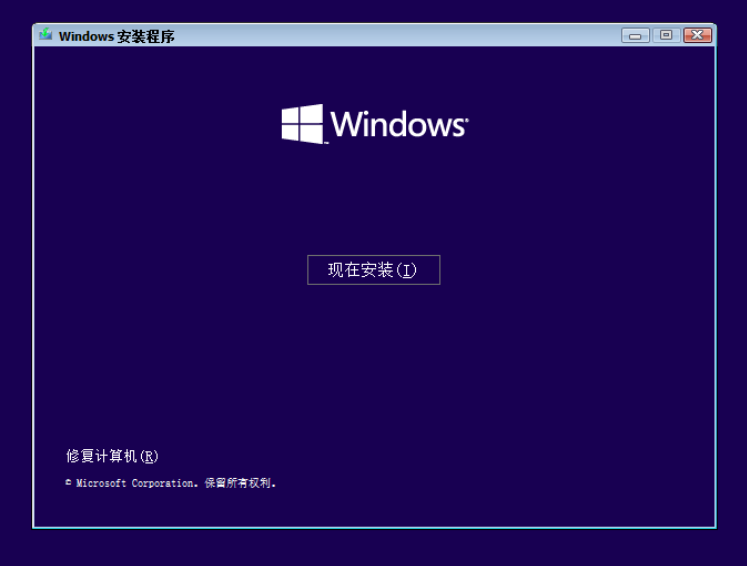
After clicking “Repair your computer,” this screen appears:
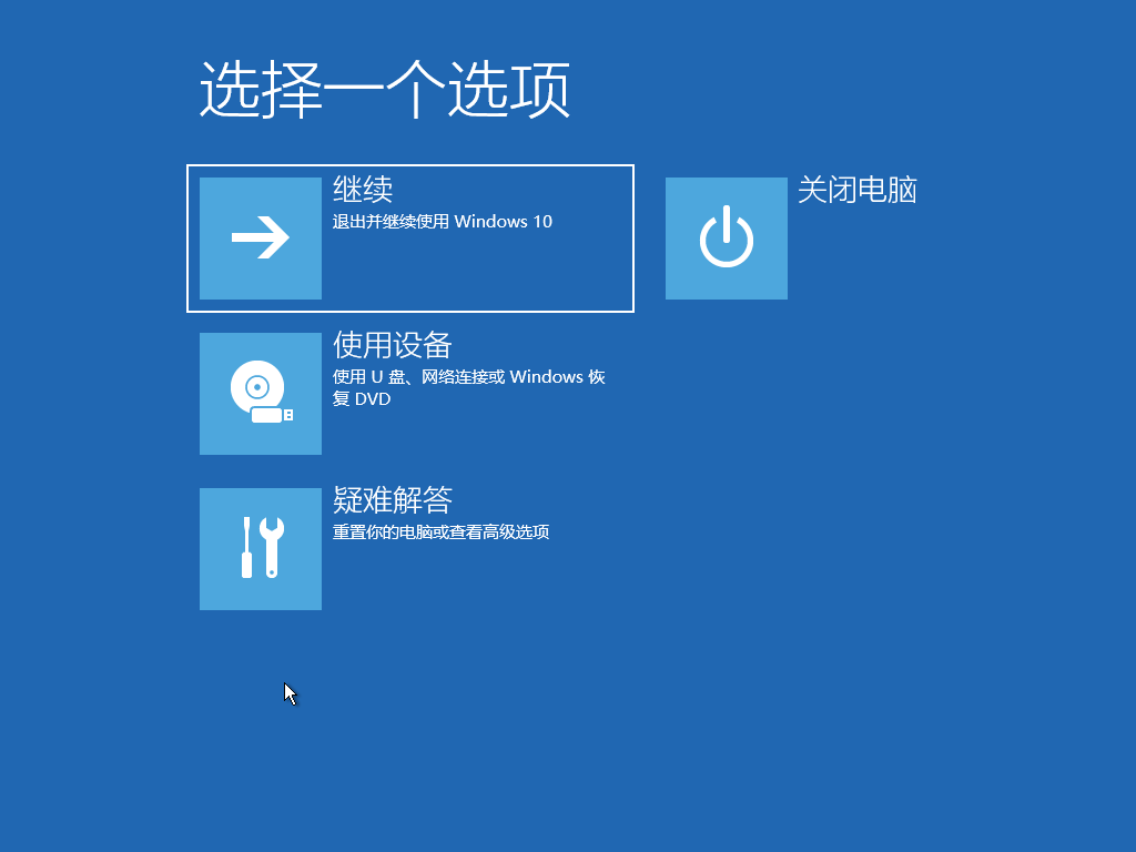
So the question is: this interface looks a lot like Windows RE. Does Windows PE launch Windows RE? Or is there a Windows RE inside Windows PE? Or…
Let’s run an experiment to find out the truth.
Where Is WinRE.wim?
As we know, Windows PE is the boot.wim file located in the sources folder of the ISO. Windows RE is essentially a PE system as well, so it should also be a WIM package. If we can find that WIM package, we can make a preliminary judgment about the relationship between boot.wim and winRE.wim.
After searching the entire ISO, there are no WIM packages other than boot.wim and install.wim. So winRE.wim must be embedded inside one of these files.
The most likely candidates are boot.wim and install.wim.
Upon inspection, winRE.wim is found inside install.wim. The exact path is:
\Windows\System32\Recovery\winRE.wim
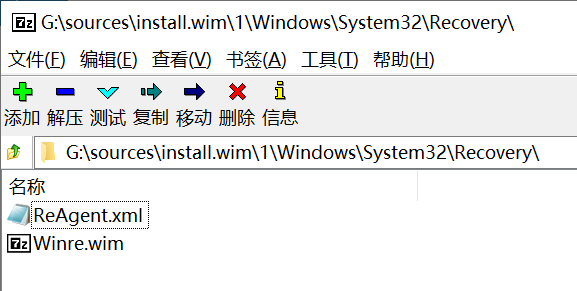
Therefore, Windows PE will definitely not call this winRE.wim package during execution.
There’s no way Windows PE would first extract install.wim and then load winRE.wim.
To verify this, I removed install.wim from the Windows ISO. Windows PE still booted normally, and the “Repair your computer” option was still clickable.
So why does clicking “Repair your computer” bring up a blue background interface that looks so much like winRE.wim?
Let’s open the boot.wim package and navigate to \Windows\system32\boot\:
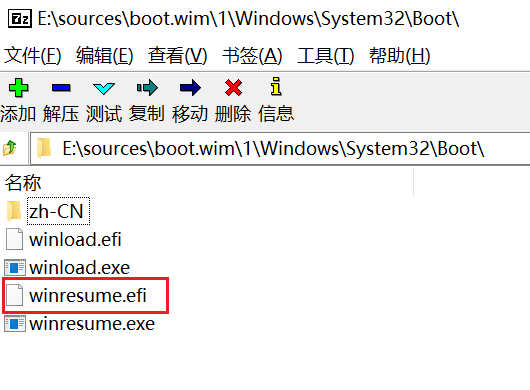
We can see a file called winresume.efi. When we click “Repair your computer,” this EFI program runs, producing an interface that looks just like Windows RE.